ISOTHERM
EQ KM-05
Twenty-four bands that only move when the music asks them to.
AU · VST3 · macOS
What it does.
ISOTHERM is a 24-band equalizer where every band can also be dynamic: it moves only when the signal crosses its threshold, then returns. Cut a harsh note that only shows up in the loud chorus, or boost a band only when the signal pushes into it.
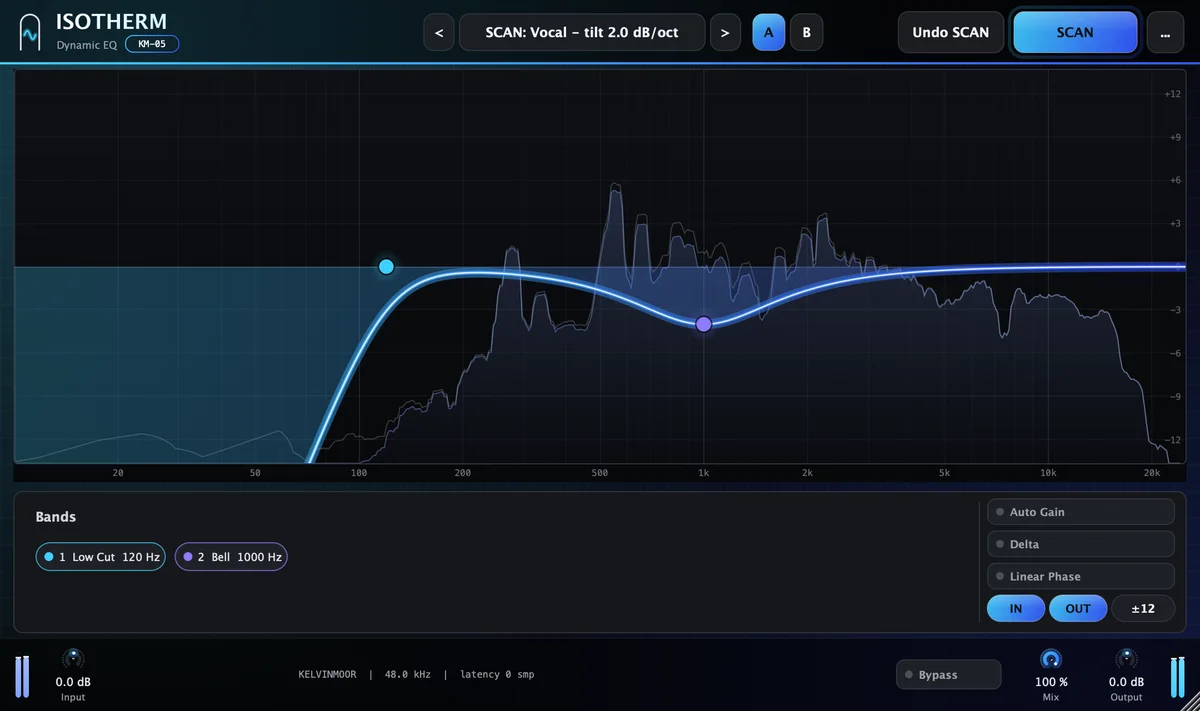
Nine band shapes, including a tilt and an Air shelf for the top octave. Cut slopes up to 96 dB per octave. Each band works on stereo, left, right, mid or side, and can listen to the sidechain input instead of the program. A live analyzer sits behind the curve: double-click to add a band, or grab a peak in the spectrum to put a narrow band on it. Zero latency.
- Best on
- Vocals · Mix bus · Mastering · Problem frequencies
- Line
- Precision
- Category
- EQ
Hear it.
The same recording without and with ISOTHERM, set from SCAN and adjusted by ear. Switch while it plays; the position stays where it is.
The before-and-after examples are being recorded. They will appear here.
What's inside.
24 dynamic bands
Any band with gain (Bell, shelves, Tilt, Air) can move up to ±30 dB against its threshold, with its own attack (0.1–250 ms) and release (5 ms to 2.5 s).
Nine shapes, including Air
Bell, low shelf, high shelf, low cut, high cut, notch, band pass, tilt, and Air: a very wide, gentle shelf for the top octave.
Slopes to 96 dB/oct
Low and high cuts run from 6 to 96 dB per octave, in nine steps.
Per-band placement and key
Stereo, left, right, mid or side, band by band. Each band can also detect from the sidechain input.
Auto threshold
A threshold that follows the band’s long-term level, so dynamic moves keep working when the mix gets louder.
Auto Gain, Delta and Listen
Auto Gain compensates the loudness of the static curve, so you judge the tone and not the volume. Delta plays only what the EQ changes. Listen solos the region of one band.
SCAN for ISOTHERM.
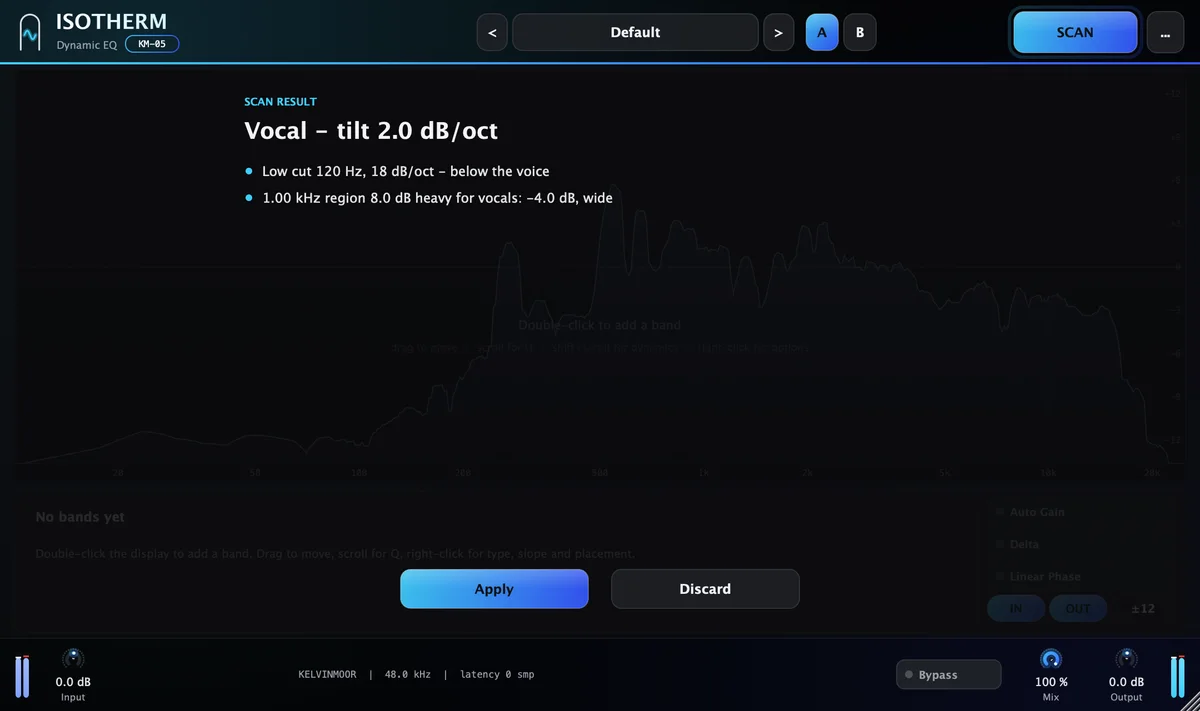
Play a representative section for about twelve seconds. Connect a reference to the sidechain to match it. SCAN measures the take and proposes settings for Low cut, Dynamic cuts, Tonal balance, Air. Each move comes with the reason, in one line.
Apply it with one click, then trust your ears. It is a starting point an engineer would be happy to begin from.
Play a representative section for about twelve seconds. Connect a reference to the sidechain to match it.
- Source
- Vocal
- Lowest note
- 120 Hz
- Spectral tilt
- −3.1 dB/oct
- Strongest resonance
- +7.5 dB at 2.9 kHz
Recommended
- Low cut 74 Hz, 18 dB/oct: below the voice
- Dynamic cut at 2.9 kHz, up to 5.5 dB: a resonance 7.5 dB above its neighbors, only while it rings
- Air band at 10 kHz, +2.0 dB: the top octave sits about 4 dB under typical vocals
Example readout. The values depend on your material.
Specifications.
Controls
- Bands
- 24
- Frequency
- 10 Hz–30 kHz
- Gain
- −30 to +30 dB
- Q
- 0.025–40
- Cut slopes
- 6 · 12 · 18 · 24 · 30 · 36 · 48 · 72 · 96 dB/oct
- Dynamic range
- −30 to +30 dB per band
- Threshold
- −80 to 0 dB · Auto
- Attack / Release
- 0.1–250 ms / 5–2,500 ms
- Placement
- Stereo · Left · Right · Mid · Side
- Latency
- 0 samples
Formats and system
- AU
- macOS
- VST3
- macOS
- AAX
- Coming soon
- Windows
- Coming soon
- macOS
- 11 Big Sur or later
- Processor
- Apple silicon and Intel
- Sample rates
- 44.1–192 kHz
- Channels
- Mono and stereo
- Interface size
- 75–200 %
- Latency
- Reported to the host
ISOTHERM
EQ · Dynamic EQ. One payment, yours to keep.
List price $129−54%, now $59Launch price
- Free 7-day trial before you buy
- Serial for 1 computer at a time, works offline 45 days
- Free updates for version 1
Add another plugin and both are 15% off; ten or more, 45% off. How bundles work, or all twenty in Complete for $299.