KO-2A
Opto Comp KM-01
The slow, singing glow of a tube optical leveler.
AU · VST3 · macOS
What it does.
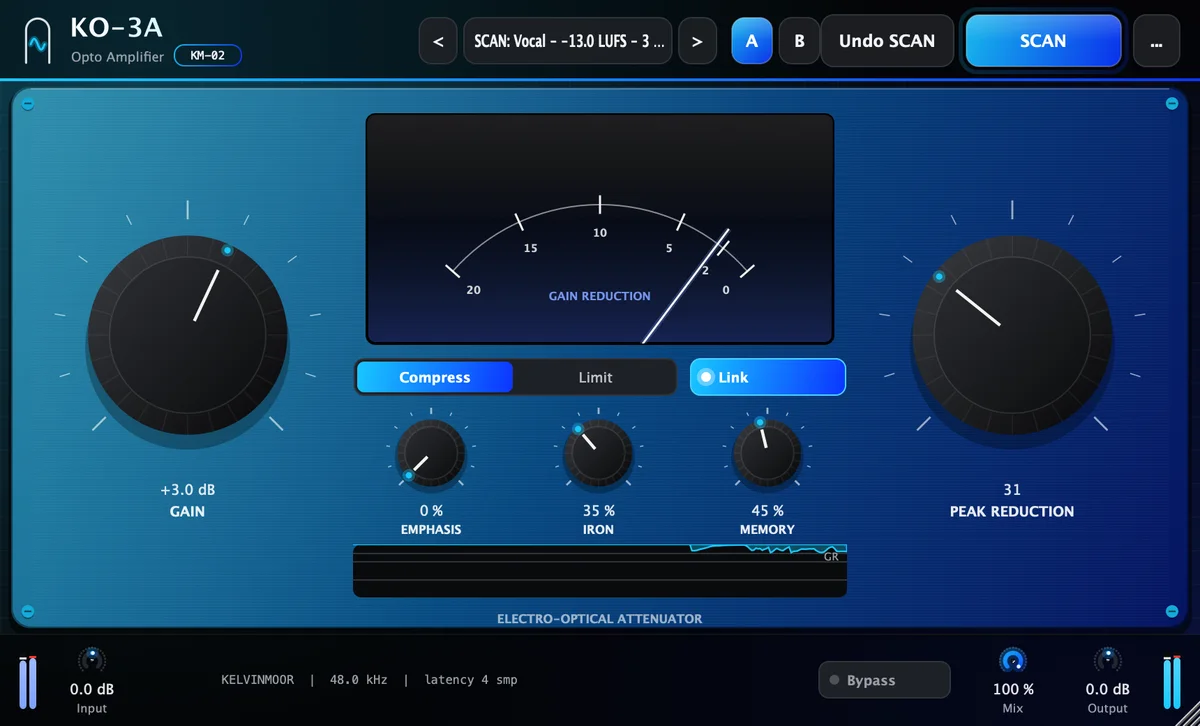
KO-2A is a tube optical leveler. Two controls do the main work: Peak Reduction sets how firmly it holds the level, Gain brings it back up. Attack, release and ratio are not knobs. They come from how the optical cell behaves, the way they do on a hardware leveler.
The release runs in two stages: a quick first half, then a long recovery that depends on what you played before. That memory is why an optical leveler sounds smooth on vocals and bass instead of pumping. Memory sets how long the recovery can run, and Emphasis, Tube and Mode shape the rest.
- Best on
- Lead vocals · Bass · Acoustic guitar · Mix bus
- Line
- Heritage
- Category
- Dynamics
Hear it.
The same recording without and with KO-2A, set from SCAN and adjusted by ear. Switch while it plays; the position stays where it is.
The before-and-after examples are being recorded. They will appear here.
What's inside.
Two-stage optical release
A fast first stage, then a slow tail that grows with how long and how hard the cell was lit. Memory sets the ceiling of that tail, from about 1 s to 5 s.
Compress or Limit
Compress is the gentle, musical setting. Limit takes a firmer ratio and a faster grip on peaks.
Emphasis
Tilts the detector toward the high end, with a lift of up to 12 dB above 2.5 kHz, so bright syllables and cymbals trigger more reduction than the low end does.
Tube stage
Sets how much of the valve stage’s harmonic color you hear, from clean to thick. Oversampled 2×, so the color stays smooth at the top.
Needle and history
A gain-reduction needle and a scrolling history show how far the cell pulls down and how it recovers.
Link, Mix and presets
Stereo Link, parallel Mix, input and output trims, A/B compare, and factory presets for lead vocal, rap vocal, bass, acoustic guitar and the mix bus.
SCAN for KO-2A.
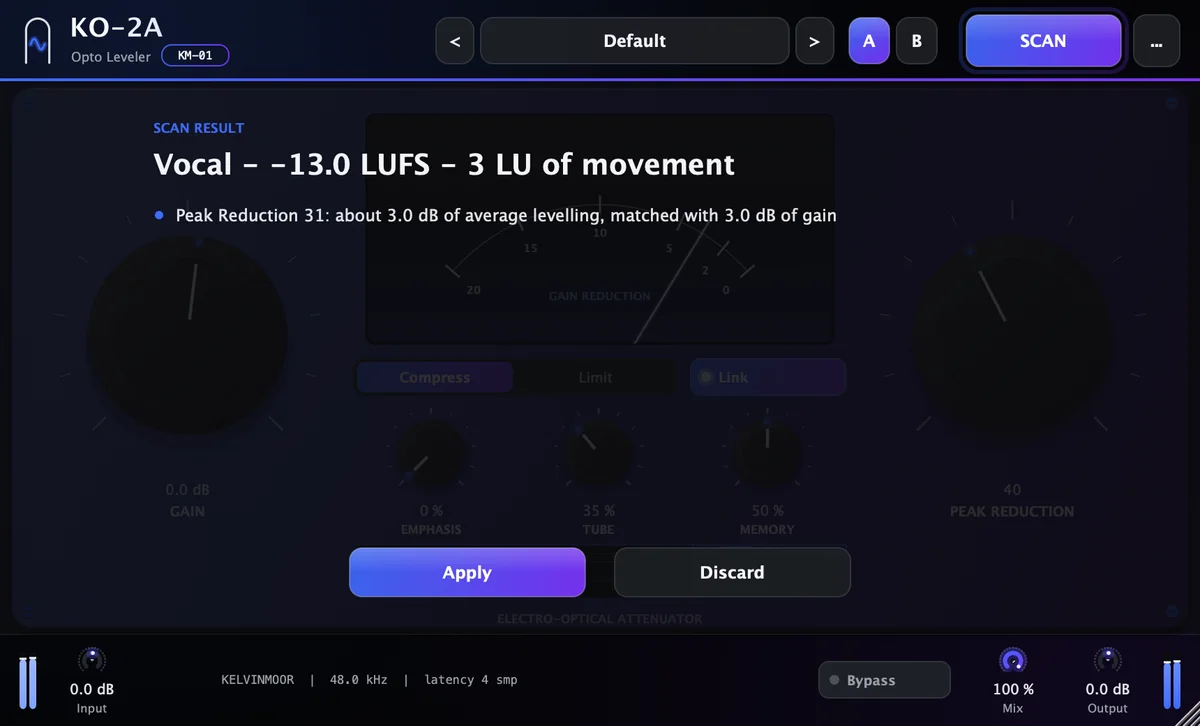
Play the loudest part of the performance for about ten seconds. SCAN measures the take and proposes settings for Peak Reduction, Gain, Mode, Emphasis, Memory. Each move comes with the reason, in one line.
Apply it with one click, then trust your ears. It is a starting point an engineer would be happy to begin from.
Play the loudest part of the performance for about ten seconds.
- Source
- Vocal
- Integrated
- −18.4 LUFS
- Loudness range
- 9 LU
- Crest factor
- 13.6 dB
Recommended
- Peak Reduction 48: about 4 dB of average leveling
- Gain +4.0 dB: matched to the reduction, so the level stays put
- Emphasis 18 %: the cell reacts a bit more to harsh top end
- Memory 45 %: a release that follows the phrasing
Example readout. The values depend on your material.
Specifications.
Controls
- Peak Reduction
- 0–100
- Gain
- −10 to +30 dB
- Mode
- Compress · Limit
- Emphasis
- 0–100 %
- Tube
- 0–100 %
- Memory
- 0–100 %
- Stereo link
- On · Off
- Input / Output
- −24 to +24 dB
- Mix
- 0–100 %
Formats and system
- AU
- macOS
- VST3
- macOS
- AAX
- Coming soon
- Windows
- Coming soon
- macOS
- 11 Big Sur or later
- Processor
- Apple silicon and Intel
- Sample rates
- 44.1–192 kHz
- Channels
- Mono and stereo
- Interface size
- 75–200 %
- Latency
- Reported to the host
KO-2A
Opto Comp · Opto Leveler. One payment, yours to keep.
List price $79−51%, now $39Launch price
- Free 7-day trial before you buy
- Serial for 1 computer at a time, works offline 45 days
- Free updates for version 1
Add another plugin and both are 15% off; ten or more, 45% off. How bundles work, or all twenty in Complete for $299.